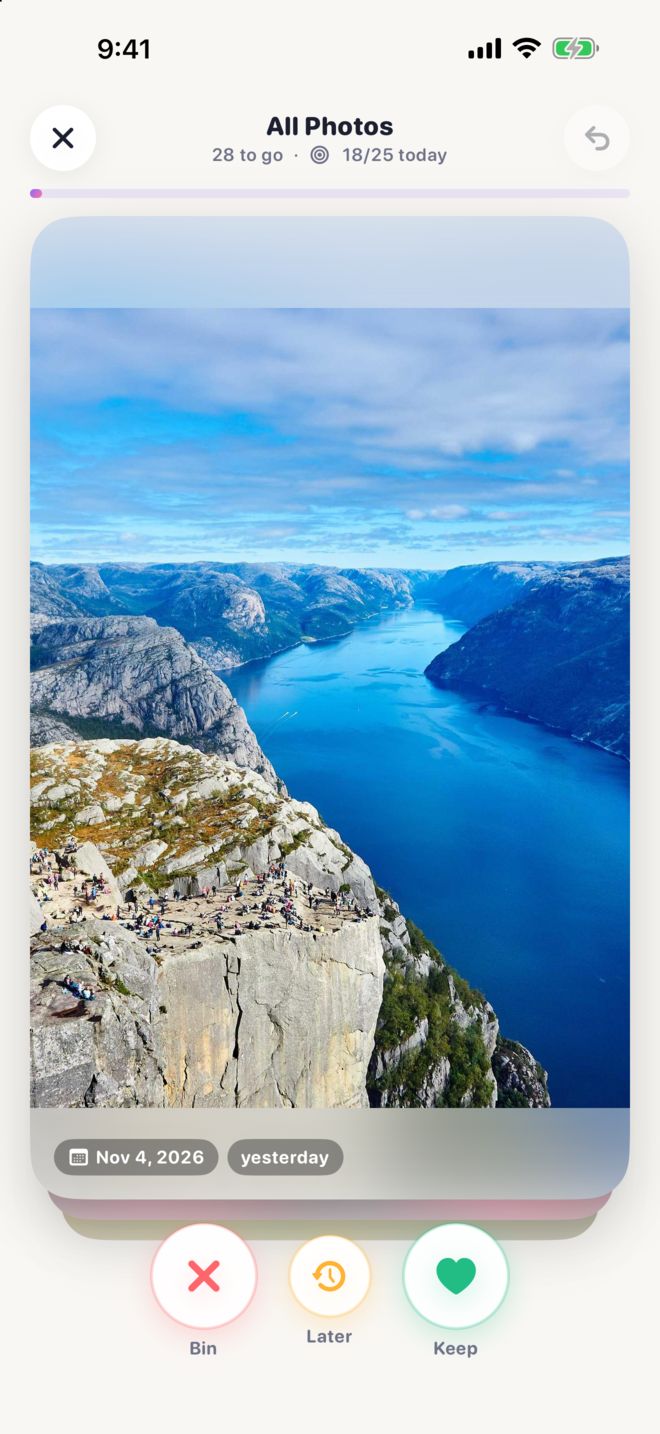
Three buttons. That's it.
PhotoTidy shows your photos one at a time, big and clear, with the date each was taken. Tap to decide and the next one appears.
Bin
Nothing is deleted yet. Binned photos wait in the Bin until you're sure.
Later
Can't decide? Skip it for now and it comes back another time.
Keep
Worth keeping? It stays, and PhotoTidy won't ask about it again.
Changed your mind? Undo brings photos back, one tap at a time.
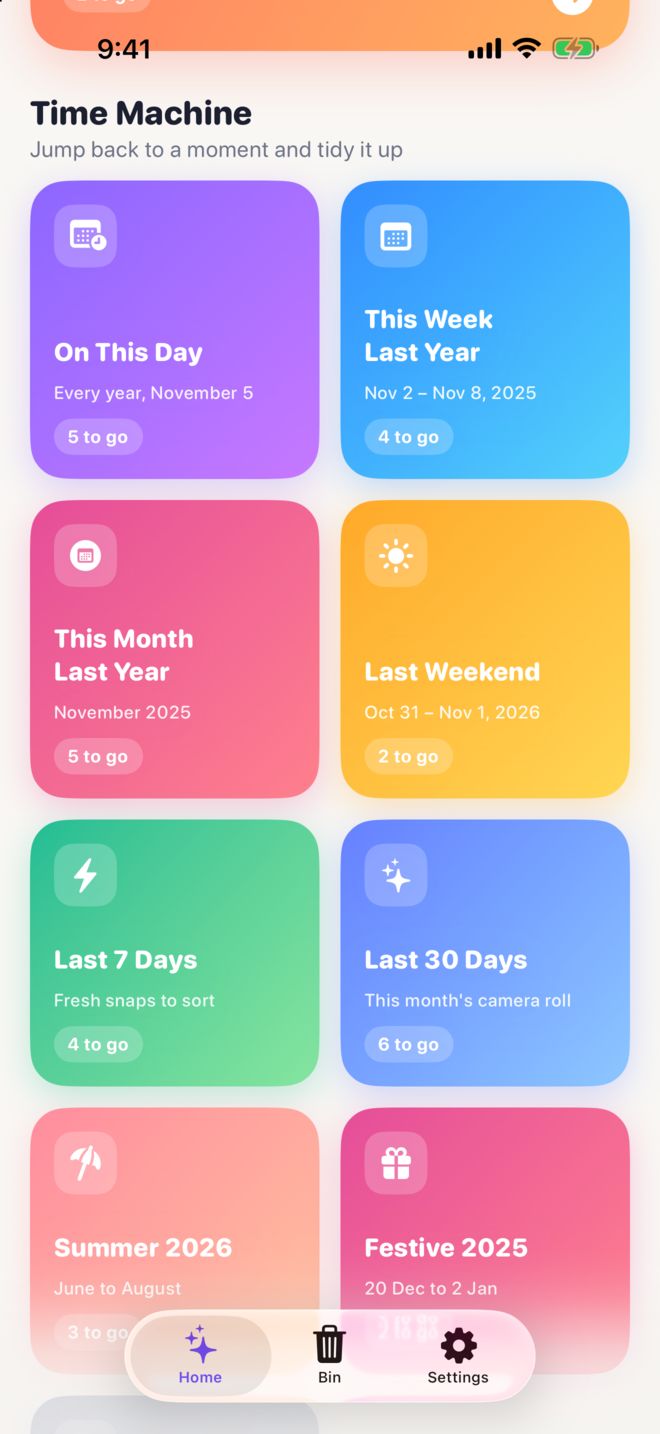
Time Machine
Jump back to a moment and tidy it up. Every range shows how many photos are still to go, and Keep All keeps a whole album in one tap.
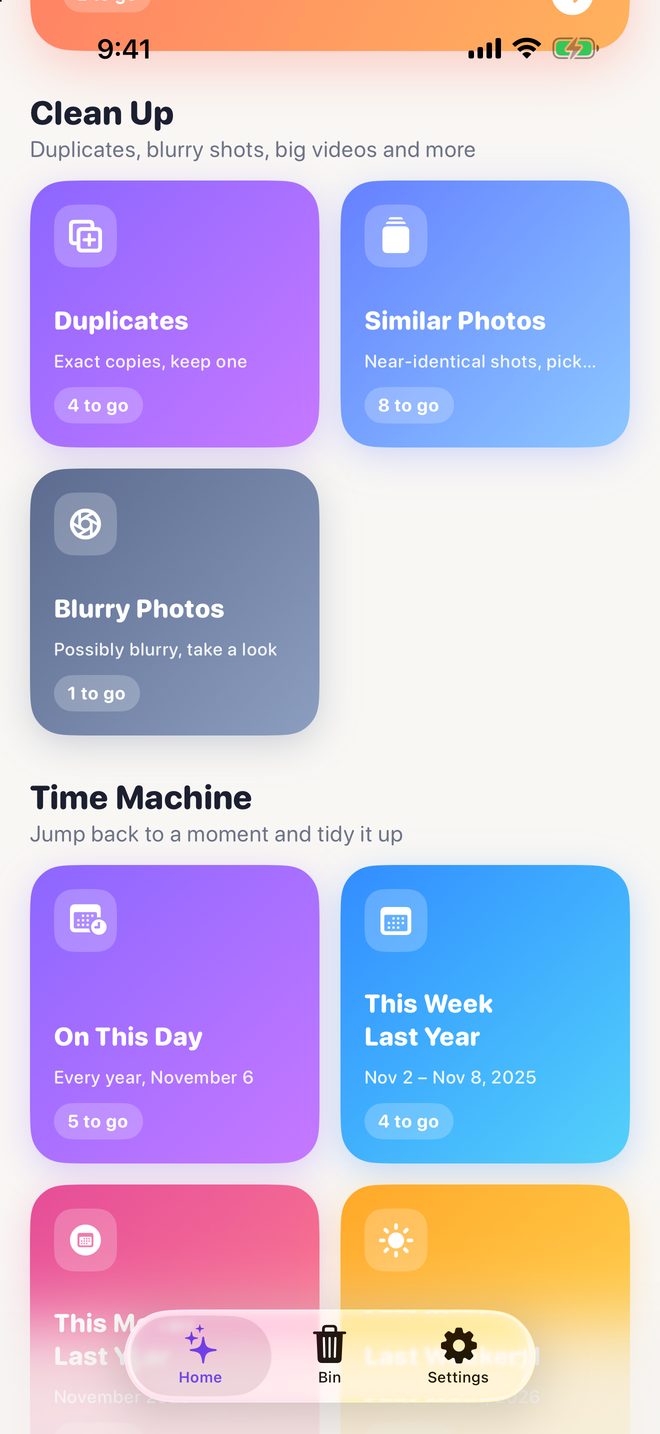
Clean Up New in 2.2
Duplicates finds exact copies and picks the best one to keep. Similar Photos groups look-alike shots, and Blurry Photos finds the soft ones. Scanning happens entirely on your iPhone, even overnight while it charges, and a notification lets you know when it's done. Nothing is uploaded.
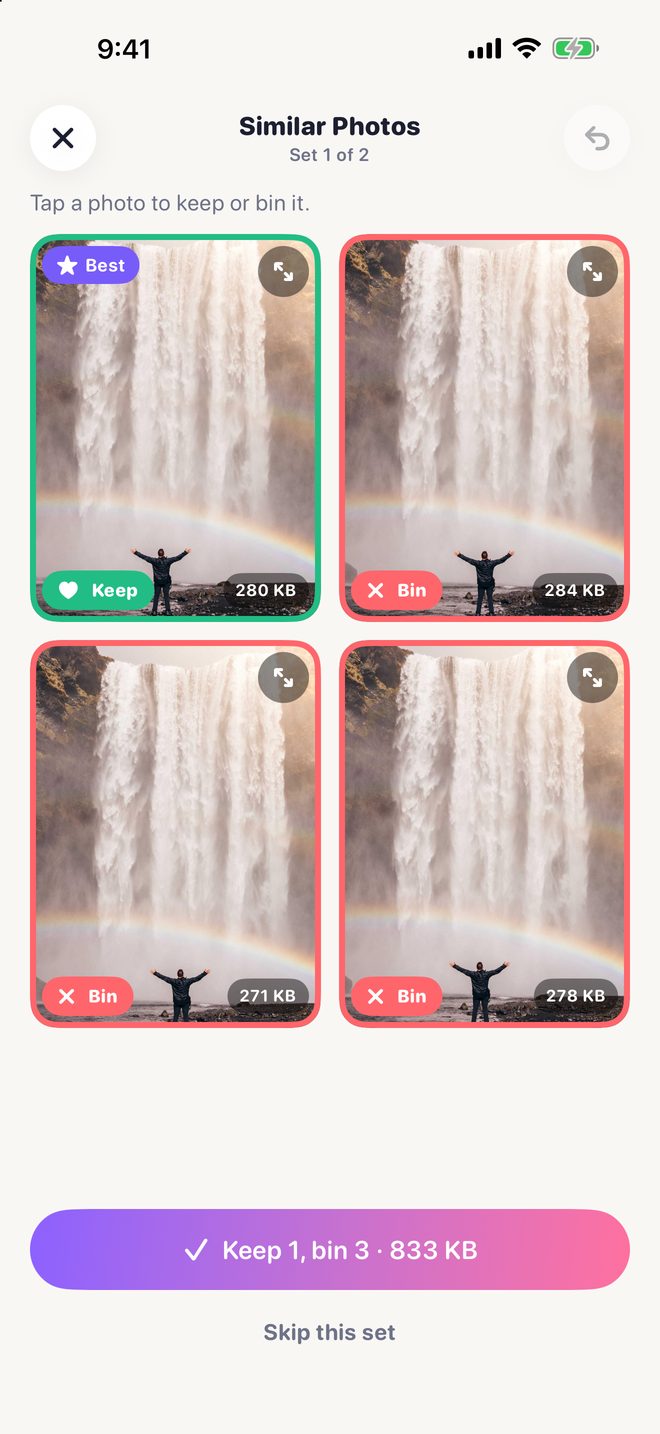
Pick the best of the bunch
Look-alike shots sit side by side with the best one marked, so you can keep it and bin the rest in seconds. Tap any photo in a set to see it full size.
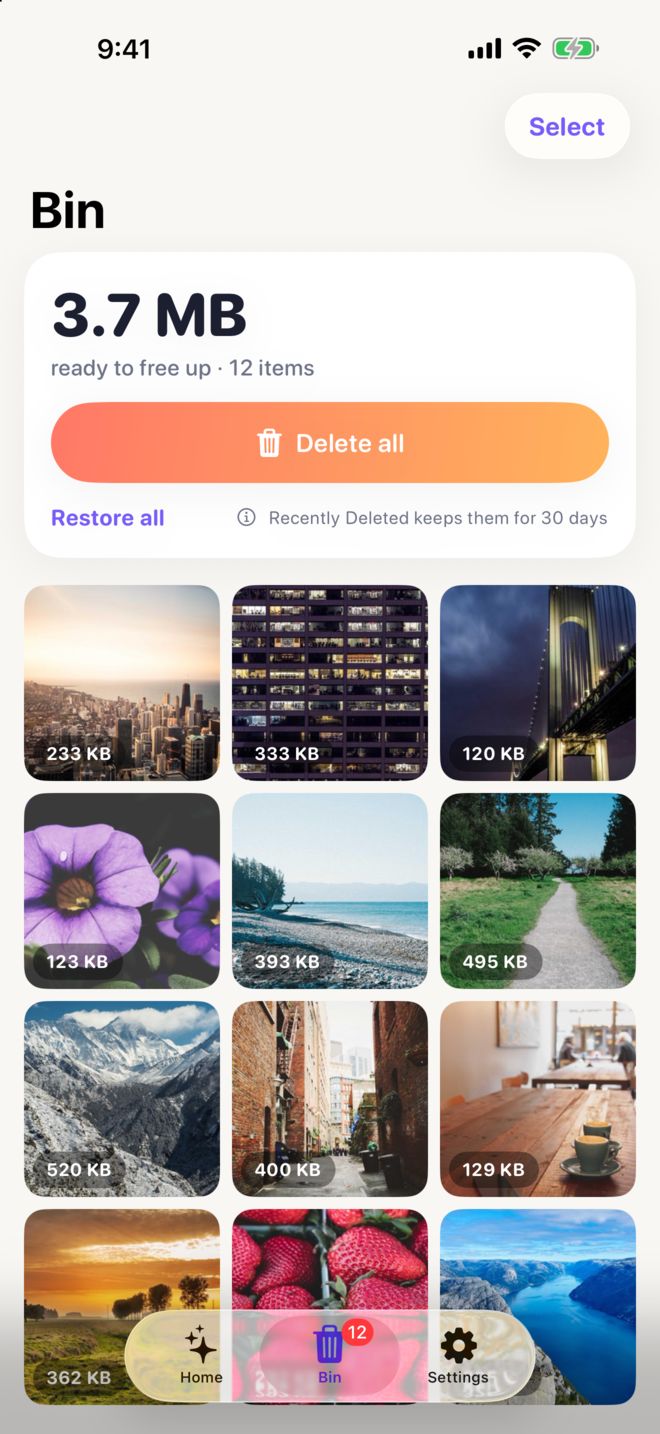
A Bin that has your back
Nothing is deleted while you tidy. Binned photos wait in the Bin, so you can see how much space you'll free, restore anything you want to keep, and delete the rest in one go. Deleted photos still go to Recently Deleted for 30 days.
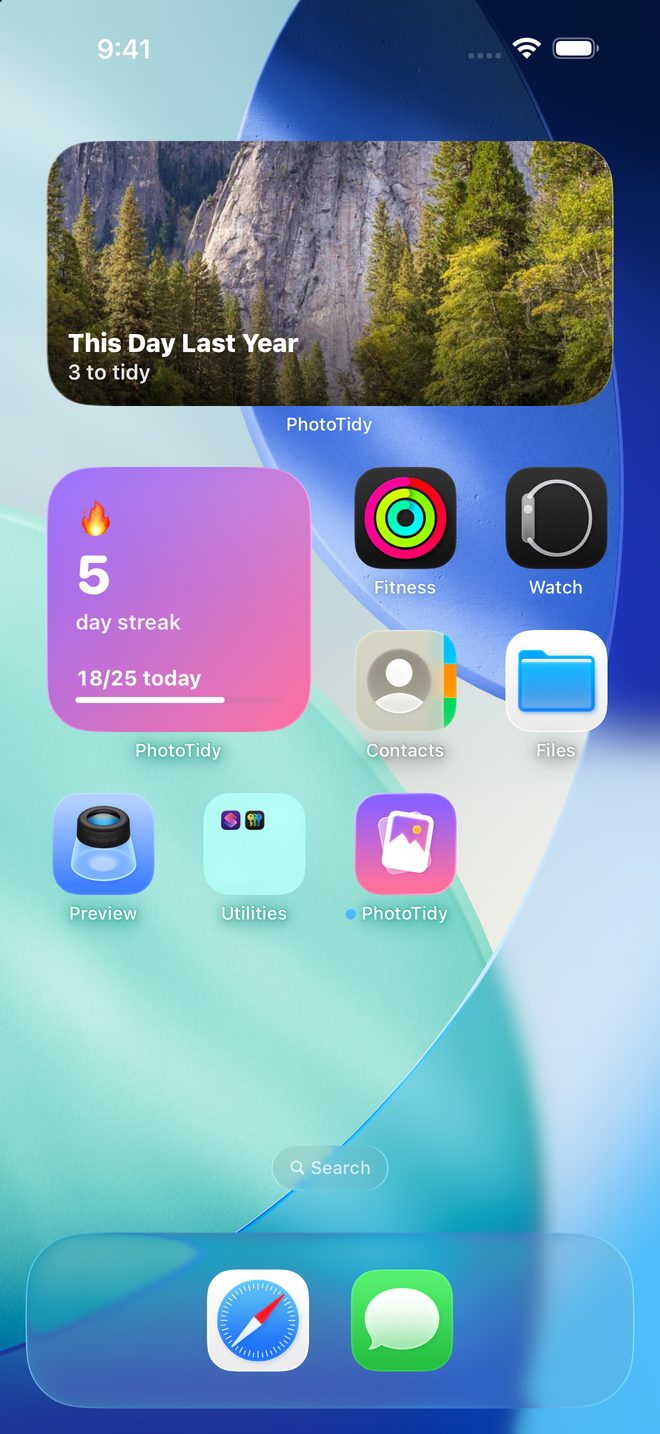
Widgets
Your streak and today's goal on your Home Screen and Lock Screen, plus a Time Machine widget with a photo from this day last year. Tap it to start tidying.
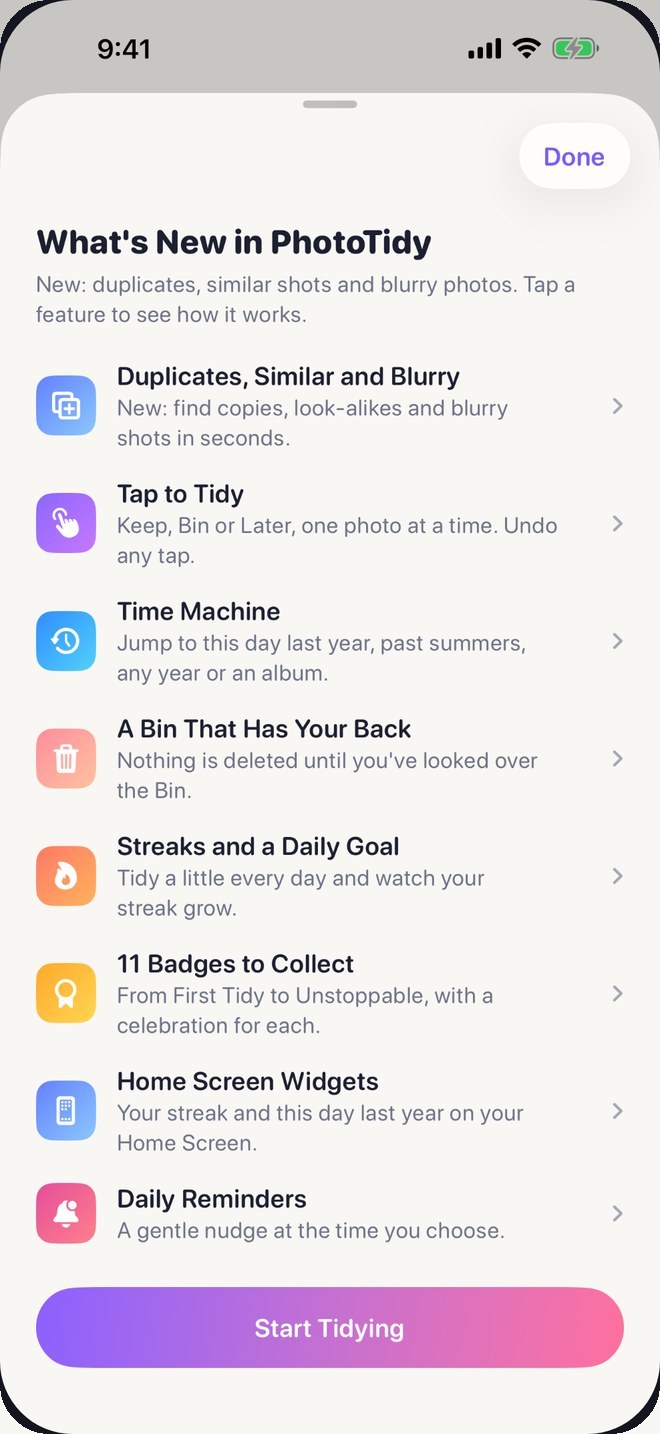
What's New
A tour of every feature, with how to use each one, the first time you open PhotoTidy and after each update.
Made to make tidying fun
Everything is free for up to 100 photos a day. PhotoTidy Pro removes the limit.
Streaks and goals
Pick a daily goal and keep your streak alive, with an optional gentle reminder.
Eleven badges
From First Tidy to Unstoppable, with confetti every time you earn one.
Quick wins
Easy places to free up space: screenshots, big videos, selfies and bursts.
iPhone and iPad
Big, clear photos on any screen, and arrow keys work with an iPad keyboard.
Share your wins
Turn a tidy session, a new badge, your streak or your progress, with photos deleted and space freed, into a bright card to share.
Stop any time
Photos you've sorted stay sorted, so pick up where you left off whenever you like.
Your photos never leave your phone
PhotoTidy works entirely on your device with Apple's Photos library. There are no accounts, no servers, no analytics and no ads. Read the privacy policy.
- On-device
- No account
- No tracking
- No ads
Support
Answers to common questions, and a real person if you need one.
Get help
Found a bug, got an idea, or stuck on something? Email me and I'll get back to you, usually within a couple of days.
[email protected]Does binning a photo delete it?
No. Binned photos wait in the Bin tab. Open the Bin to look them over, restore any you want to keep, then tap Delete. iOS asks you to confirm, and deleted photos go to Recently Deleted in the Photos app for 30 days.
PhotoTidy can't see my photos
Open Settings › Privacy & Security › Photos › PhotoTidy and choose Full Access. With Limited Access, PhotoTidy only sees the photos you selected.
Will it ask me about the same photo twice?
No. Photos you keep or bin stay sorted, so you can stop any time. Photos you save for Later come back in a future session.
I tapped the wrong button
Tap Undo at the top right. Each tap goes back one photo and tells you what it undid.
How does my streak work?
Sort at least one photo a day to keep your streak going. Your daily goal and an optional reminder are in Settings.
Can I start again?
Yes. Settings › Start Over forgets which photos you kept or binned. It never deletes any photos.
Is PhotoTidy free?
Yes. Everything in PhotoTidy is free for up to 100 photos a day, including duplicates, similar and blurry photos. PhotoTidy Pro is a one-time £9.99 purchase that removes the daily limit and adds Bin All for clearing a whole album in one tap. Family Sharing covers up to five family members.

Ready for a tidier camera roll?
Free to download on the App Store for iPhone and iPad.