Every game night, logged and scored.
Put the games you love on your shelf, log a play in a couple of taps, and finally settle who really wins. Stats, streaks and achievements build up as you play.
For iPhone and iPad. No account, no ads, no tracking.
Everything your game group argues about
Now with receipts.
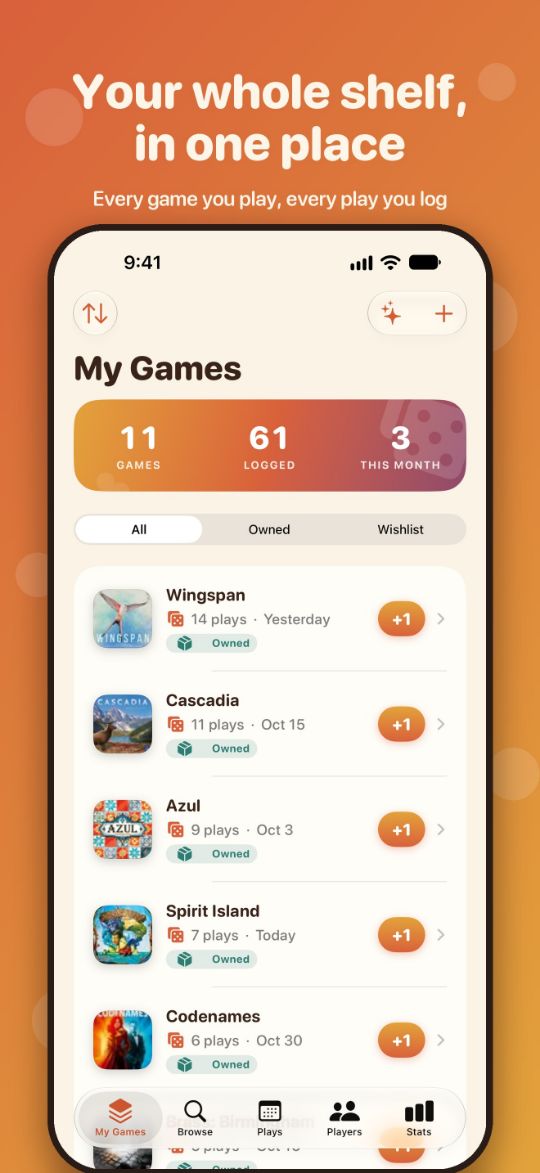
Build your shelf
Search 30,000+ ranked board games with box art, even offline. Add any game in a tap, create your own, or import your BoardGameGeek collection.
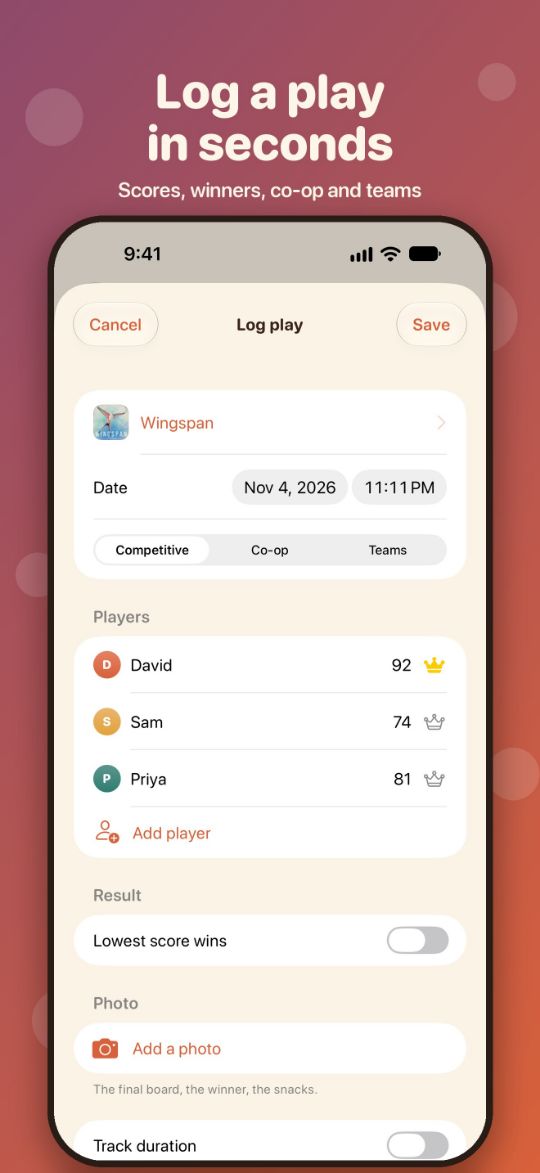
Log every play
One tap +1, or the full story: players, scores, winners, duration, notes and a photo.
Score sheets
Round-by-round and category scoring with a live leaderboard. Competitive, co-op and team modes.
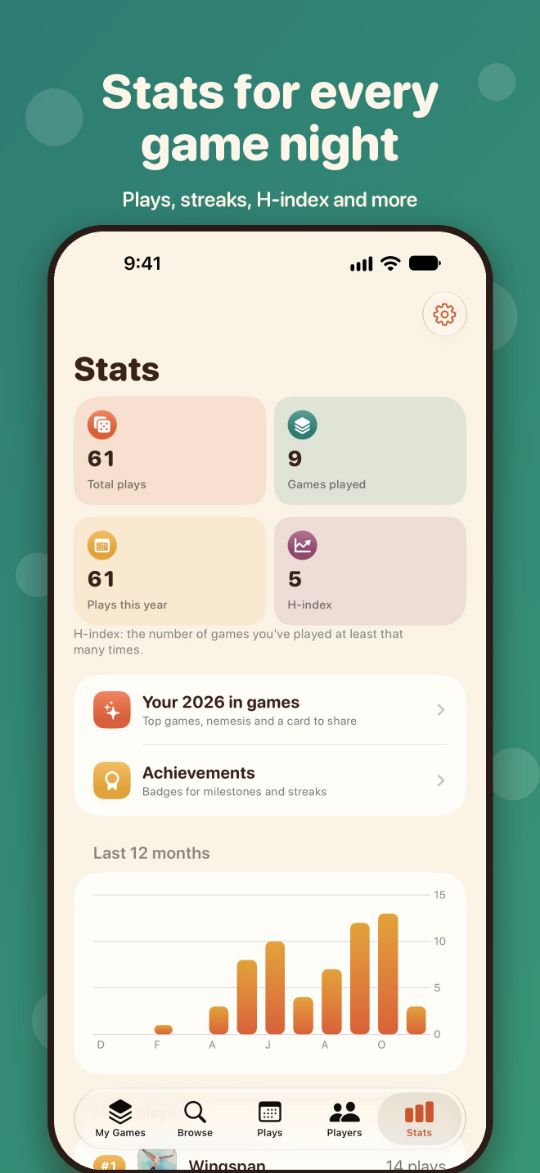
Stats that matter
Plays per month, win rates, streaks, head-to-head records, your H-index and a shelf of shame.
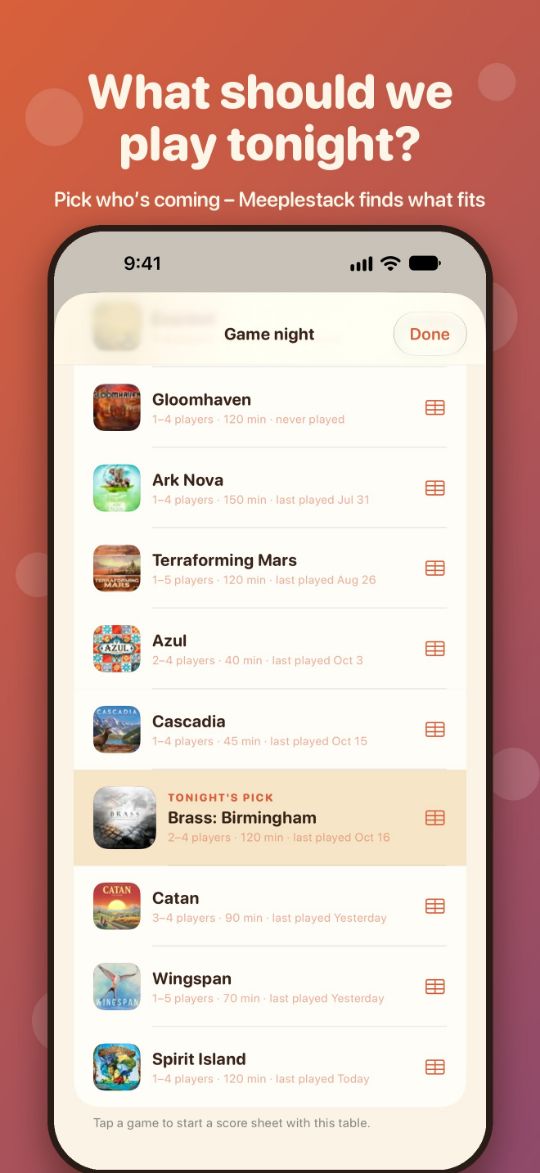
Game night
Tell it who's coming and how long you've got, and it shows what fits from your shelf, or picks one for you.
Achievements
Badges to unlock and a shareable year in review of your top games, sidekick and nemesis.
Widgets and Apple Watch
Your streak and last game on the Home Screen, and one-tap play logging from your wrist.
Meeplestack Pro
Unlimited games and plays are free. One purchase with Family Sharing unlocks the year in review, achievements, trends, game night, widgets and more.
Your plays, synced privately
Your games and plays sync between your iPhone and iPad through your own iCloud account. No sign-up, no analytics, no ads, and we can't see any of it. Read the privacy policy.
Support
Answers to common questions, and a real person if you need one.
Get help
Found a bug, or have an idea? Email with your device and iOS version, and what happened. I usually reply within a couple of days.
[email protected]Where is my data kept?
On your devices and, if iCloud is on, in your own private iCloud account, which keeps your iPhone and iPad in sync. We can't see it. With Meeplestack Pro you can also export your plays as CSV from Stats › Settings.
How do I import from BoardGameGeek?
Your collection imports from the CSV on your BoardGameGeek collection page (“Download in CSV”). Importing plays needs your BoardGameGeek username and a BoardGameGeek token.
How do I restore Meeplestack Pro?
Open Stats › Settings and tap Restore Purchases, using the Apple Account you bought it with. Pro works with Family Sharing, so up to five family members get it too.
My plays aren't syncing
Check you're signed in to the same iCloud account on each device, and that iCloud is on for Meeplestack in Settings › [your name] › iCloud. Changes sync once you're back online.
How do I add a widget?
Touch and hold your Home Screen, tap Edit › Add Widget and choose Meeplestack. It shows plays this month, your streak and your last game. Widgets are part of Meeplestack Pro.