Print timer & alerts
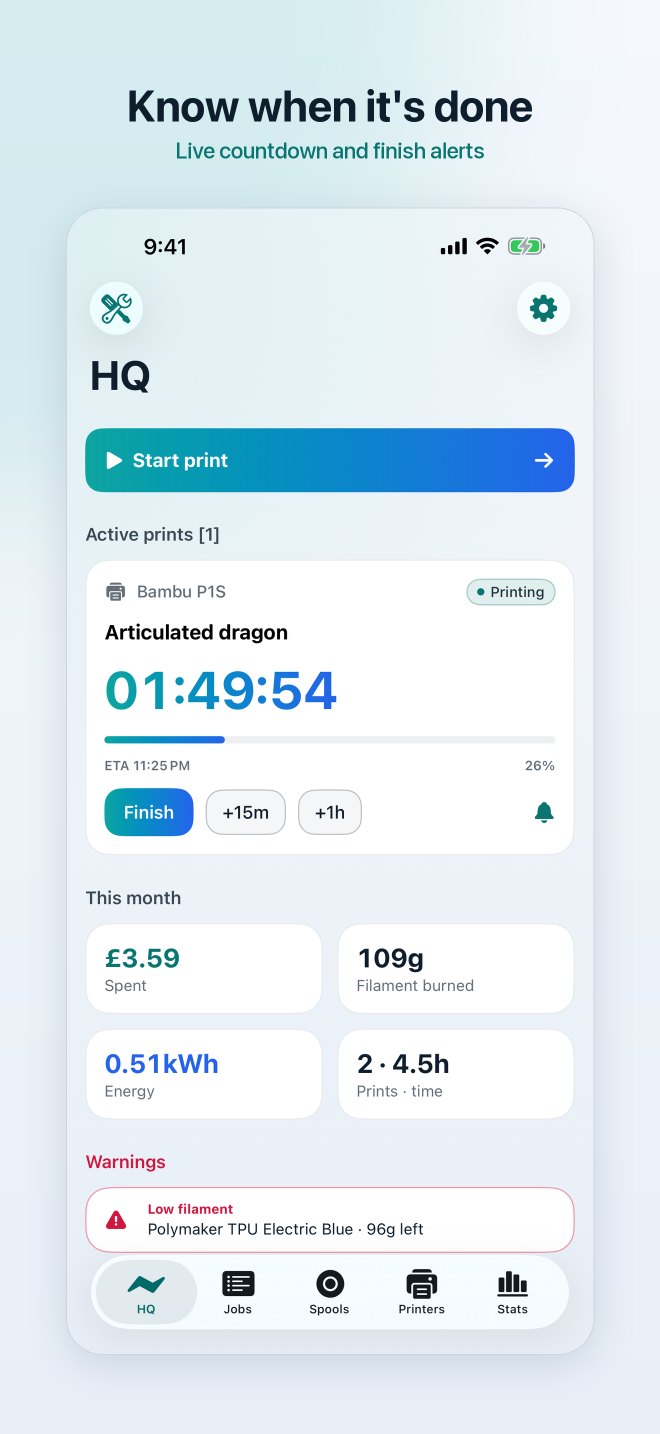
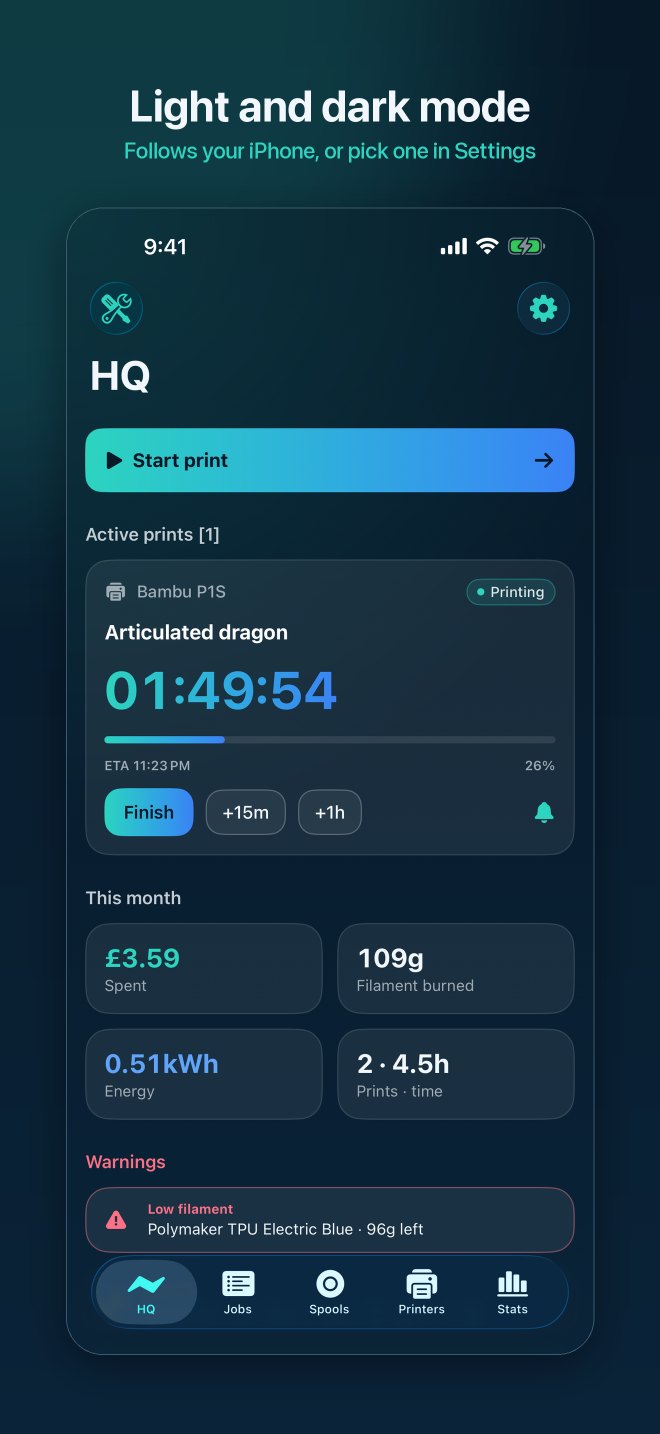
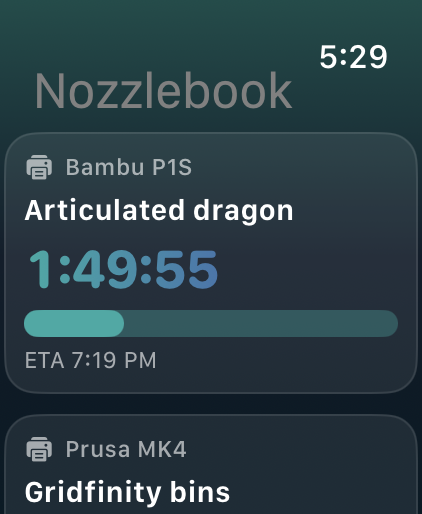
A live countdown with ETA, a notification when the print finishes and an optional heads-up 5–30 minutes before. Slicer too optimistic? Add 15 minutes or an hour and the alerts move with it.

Nozzlebook3D Print Tracker
Track every spool of filament, see the true cost of each print, and get an alert the moment it's done. The calm, simple companion for your 3D printer, on iPhone and iPad.
Features
Spools, prints, power and maintenance in one place, with no spreadsheet.
A live countdown with ETA, a notification when the print finishes and an optional heads-up 5–30 minutes before. Slicer too optimistic? Add 15 minutes or an hour and the alerts move with it.
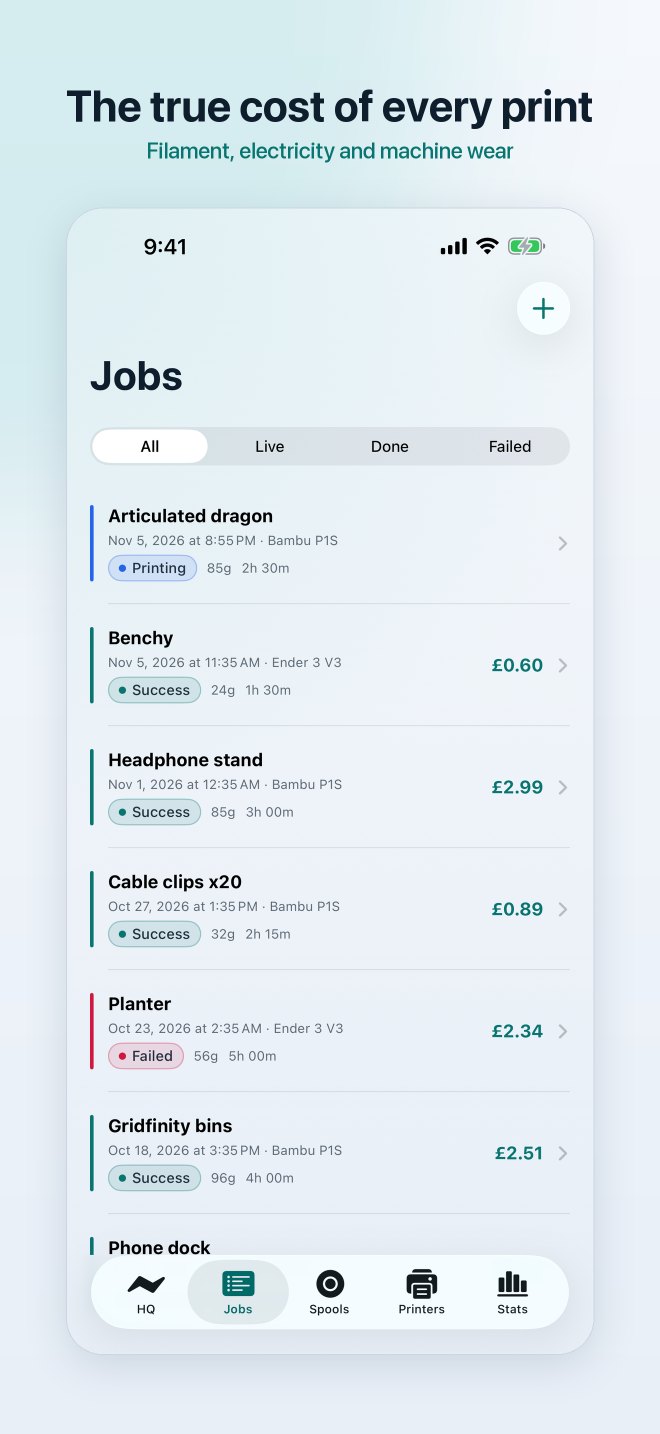
Filament, electricity and machine wear, worked out for each print. A quote calculator adds failure buffer, labour and markup when you sell prints.
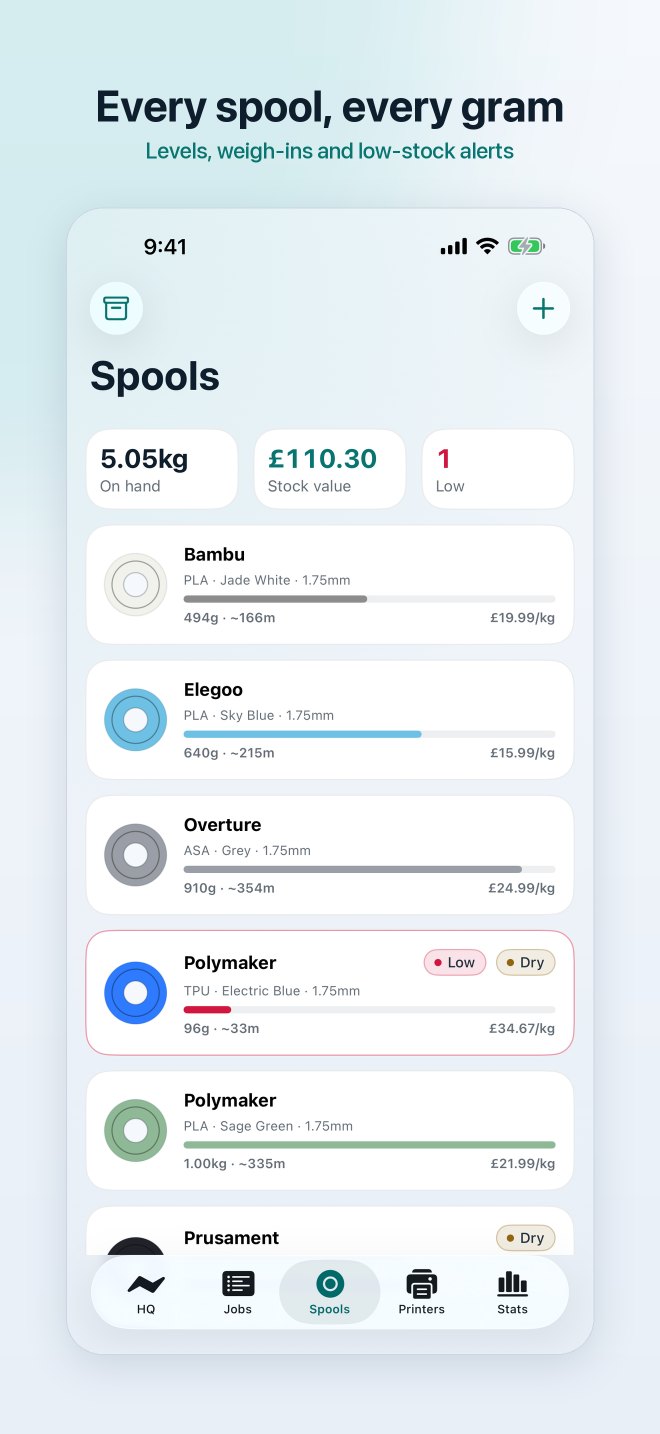
Brand, material, colour, diameter, price and grams left. Weigh a spool on a kitchen scale to update it, and get low-filament warnings and drying reminders.
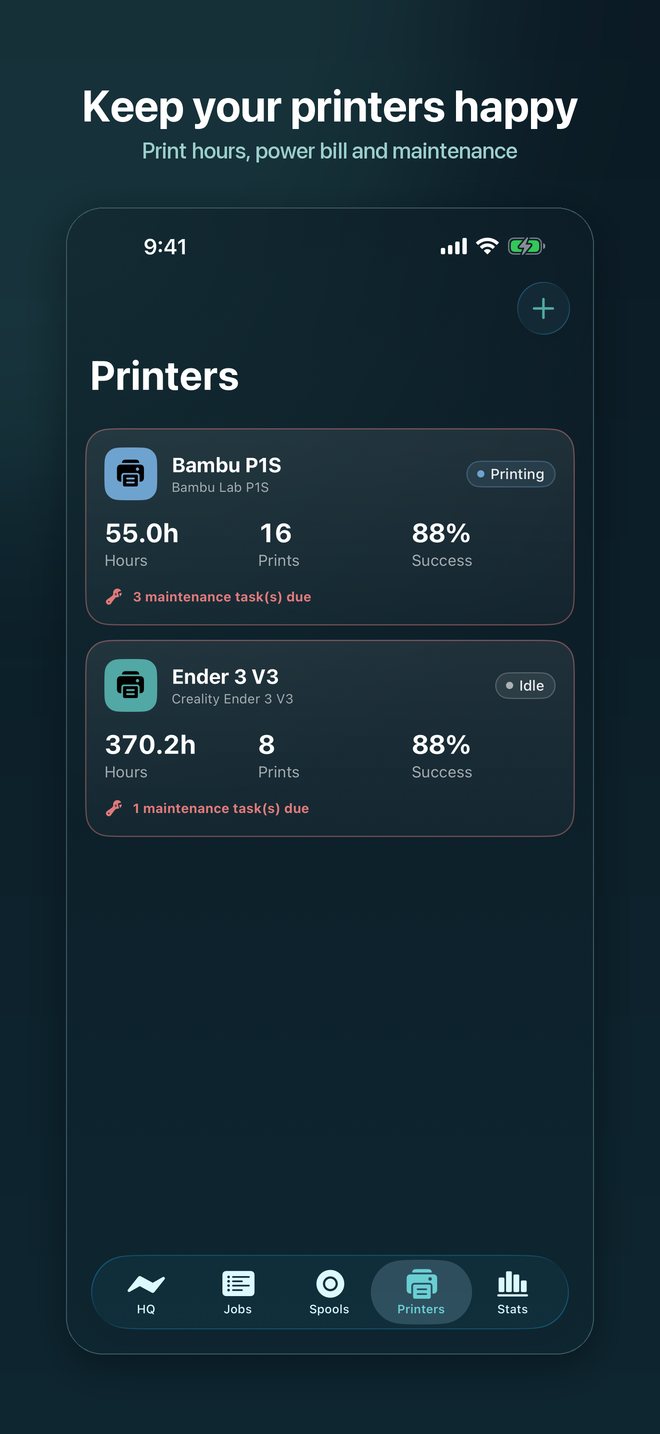
Hours, success rate and power bill for each printer, with a checklist that comes due by print hours: clean the nozzle, check belts, lubricate rods.
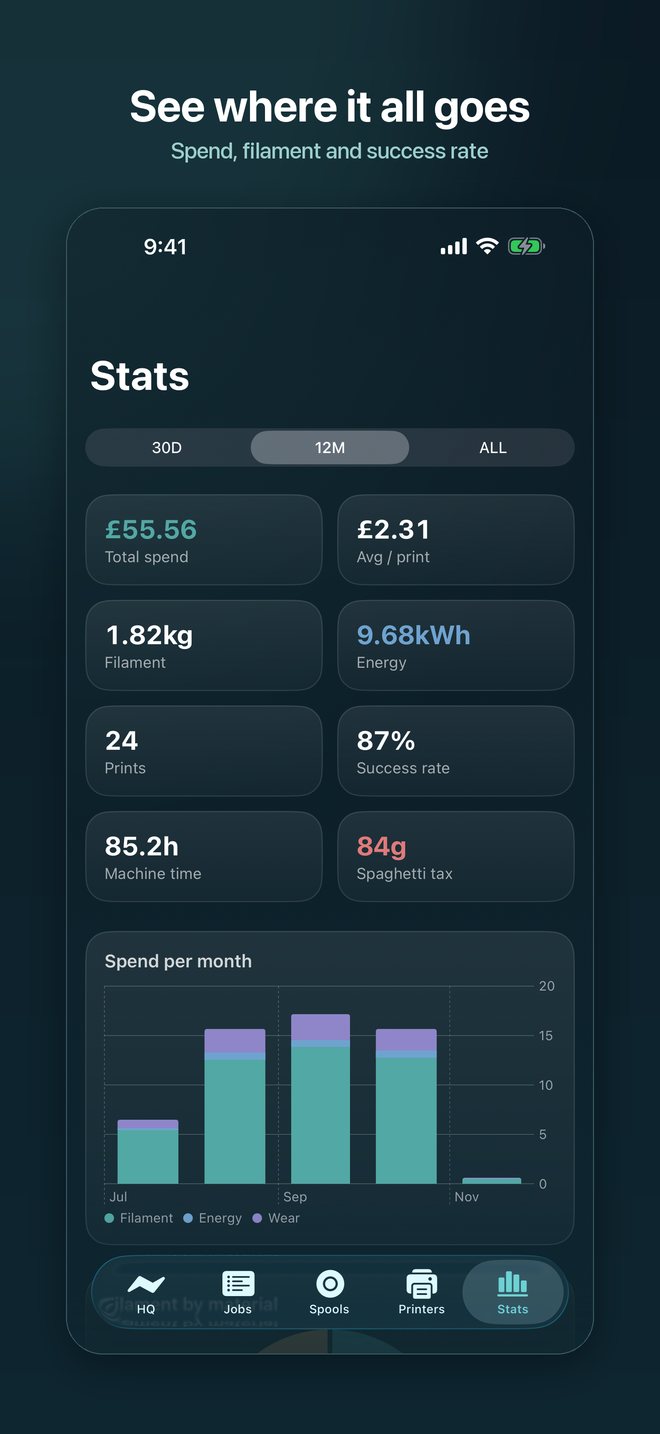
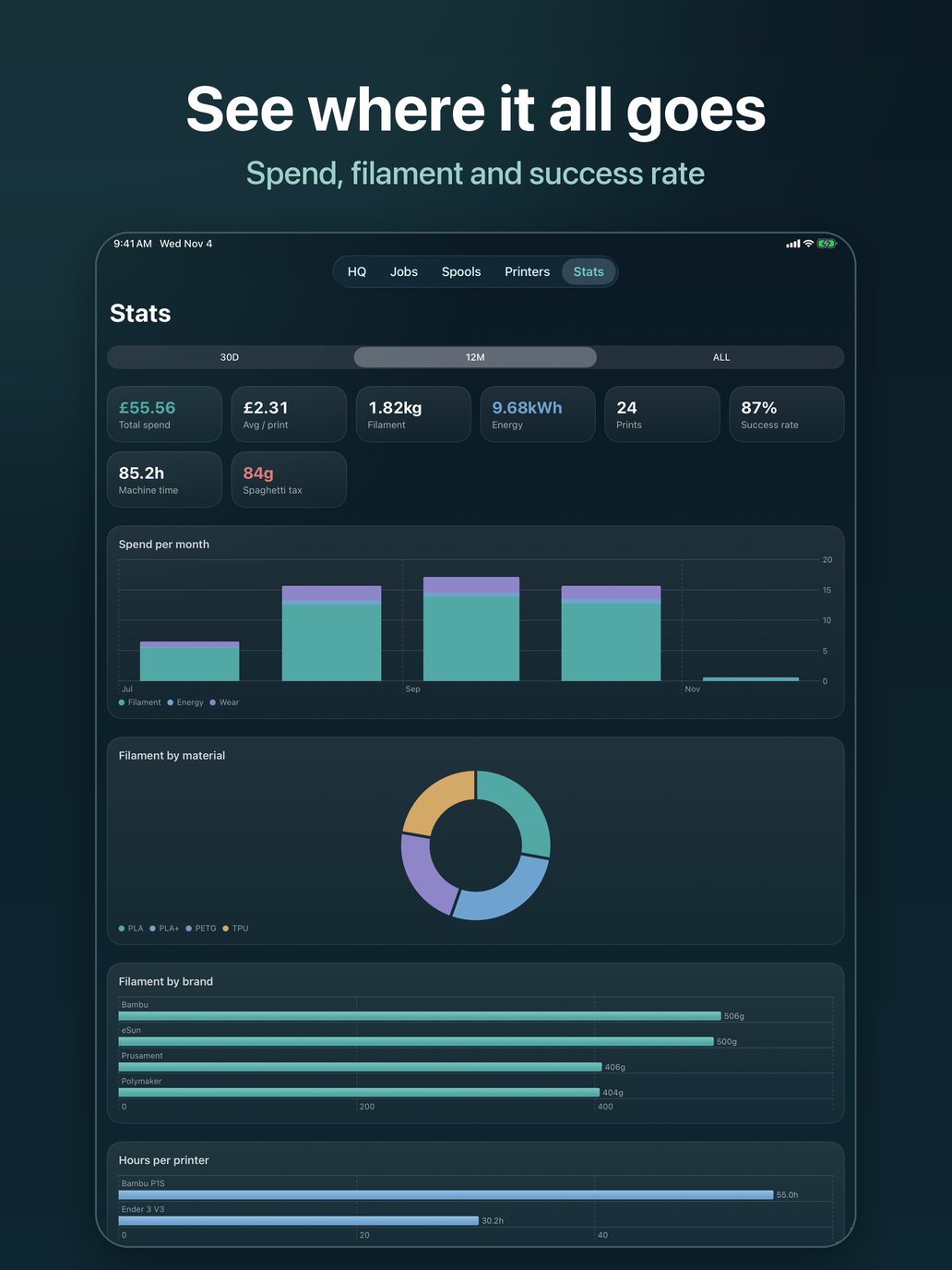
Monthly spend split into filament, energy and wear; filament used by material and brand; success rate and filament lost to failed prints.
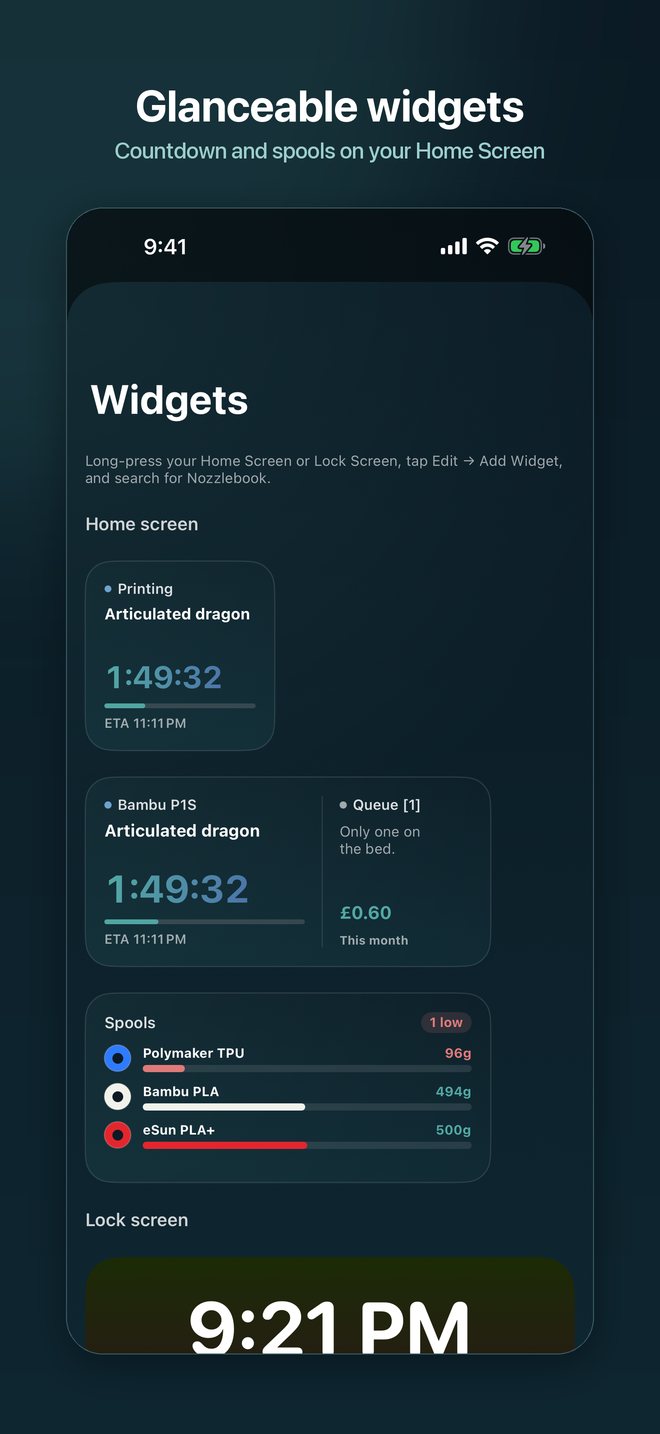
Time left on a print and your spool levels, on the Home Screen and Lock Screen. Optimised for iPhone, iPad and foldable iPhones.
Active prints with a live countdown, low spools and this month's spend on your wrist, plus a complication for the next print to finish.
Spools, printers, prints and settings sync across your iPhone and iPad through your own private iCloud, and come back after a reinstall.
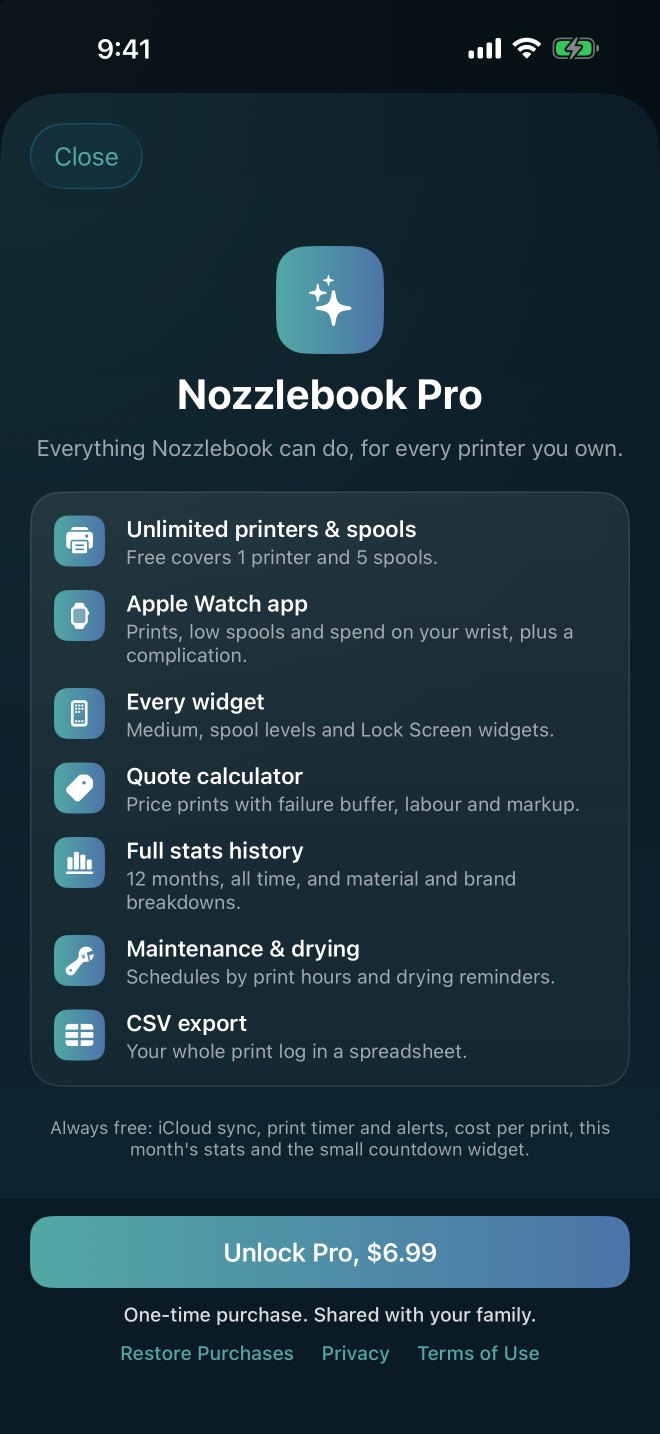
Free covers the print timer and alerts, cost per print, 1 printer and 5 spools, this month's stats and the countdown widget. A one-time purchase, shared with Family Sharing, adds unlimited printers and spools, the Watch app, every widget, the quote calculator, full stats history, reminders and CSV export.
Screenshots
How the maths works
Costs are frozen when you log a print, so later price changes don't rewrite history.
Nozzlebook uses your own iCloud to sync, and I can't see your data.
No analytics, no advertising and no third-party SDKs.
Export your print log as CSV whenever you like.
Support
Allow notifications for Nozzlebook in Settings → Notifications → Nozzlebook. You can check they work with Settings → Test alert inside the app. Focus modes can also hold notifications back.
Widgets refresh from data the app saves. Open Nozzlebook once after starting or logging a print. If a widget still looks stale, remove it and add it again.
Open the spool and use Weigh-in: put the spool on a scale and enter the gross weight. Nozzlebook subtracts the empty spool weight.
Grams used × the spool's price per gram, plus the printer's average watts ÷ 1000 × hours × your electricity rate, plus the printer's price ÷ its expected lifetime hours × hours. Set your electricity rate and currency in Settings. Costs are frozen when you log a print, so later price changes don't rewrite history.
Yes. Settings → Export print log (CSV) creates a spreadsheet of your prints that you can save or share.
Yes, if you're signed in to iCloud. Nozzlebook keeps your spools, printers, prints and settings in your own private iCloud account, so they sync between your iPhone and iPad and come back if you delete and reinstall the app. Settings → iCloud sync shows whether it's on. If you're not signed in, everything stays on the device and is included in your normal iPhone or iPad backup.
Sign in to the new iPhone with the same Apple account and install Nozzlebook. Your data downloads from iCloud on its own, which can take a minute the first time. Restoring an iCloud or computer backup works too. If you bought Nozzlebook Pro, it unlocks automatically; if not, tap Restore Purchases in Settings.
Unlimited printers and spools, the Apple Watch app and complications, every Home Screen and Lock Screen widget, the quote calculator, full stats history with material and brand breakdowns, maintenance and drying reminders, and CSV export. It's a one-time purchase and Family Sharing gives it to your family. Anything you've already entered stays yours, even without Pro.
Use Settings → Erase everything in the app. It deletes your data on this device and in your iCloud, so it's removed from your other devices too.
Get in touch. If something isn't working, please include your device and iOS version.
[email protected]